Research-based product playbook · Published May 21, 2026 · How we research
10 min read · Fact-checked November 4, 2026 · Research-based analysis
THE EDITORIAL VIEW
Dense information should be edited for the audience’s decision before it is placed into a slide layout. A table that works as a reference document may be unsuitable for a projected meeting. A simplified chart can help, but only when the author preserves its definition, unit and material caveats.
Best fit: A business team turning an approved operating report into a presentation for a decision meeting.
Poor fit: An unverified configuration or an undefined completion event for this specific task.
Table of Contents
Dense information should be edited for the audience’s decision before it is placed into a slide layout. A table that works as a reference document may be unsuitable for a projected meeting. A simplified chart can help, but only when the author preserves its definition, unit and material caveats.
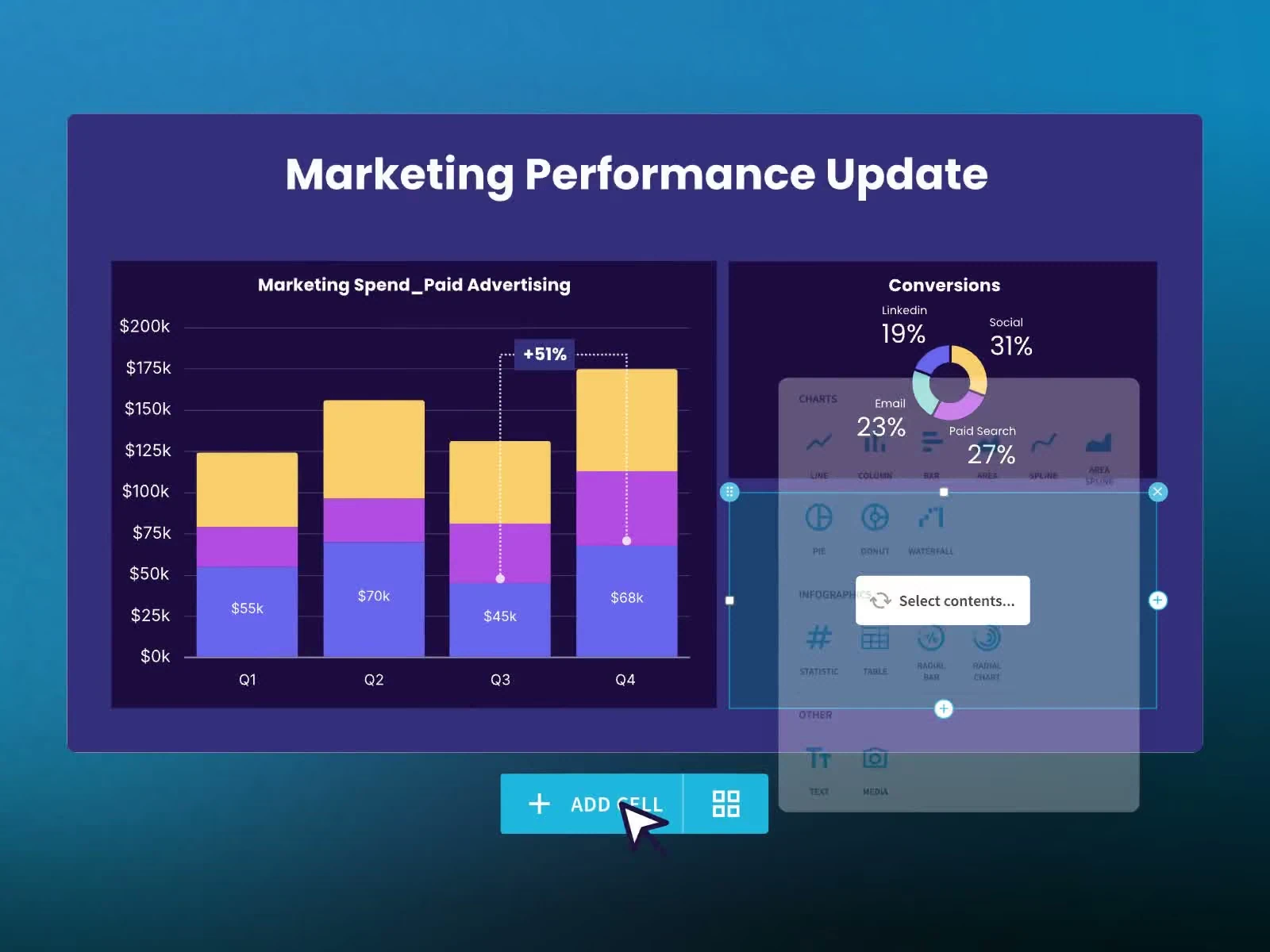
This fictional team is using Beautiful.ai to turn an operating report into a decision presentation. The meeting requires a comparison, an explanation of uncertainty and a proposed next action. The author needs to distinguish content restructuring from visual repair and assess the complete effort needed for approval.
The product’s guided layouts are part of the evaluation, not proof that every difficult table or chart will work without adaptation. Confirm the chosen plan and the required export behavior. The cost examples below are fictional production assumptions, not Beautiful.ai pricing or measured editing-time results.
Design the work around the actual completion event
1. State the decision each slide supports
Name what the audience must understand or choose, then identify the minimum evidence needed. Move supporting reference detail to a suitable appendix without hiding a condition that changes the recommendation.
A short slide can become misleading if its apparent clarity depends on omitting the relevant limit.
2. Check units and denominators before chart design
Write the metric definition, time period and comparison basis. Keep rates, totals and hypothetical examples distinguishable in the source data and visible explanation.
A visually consistent chart can compare quantities that answer different business questions.
3. Restructure a dense table consciously
Decide whether the audience needs a full table, a selected comparison or several linked views. Preserve the relationship between a headline result and its supporting detail.
Shrinking the table can technically fit the content while making it unusable in the meeting.
4. Keep qualifications with consequential claims
Place a source, scope limit or hypothetical label where the audience will encounter it with the claim. Review the sequence if the qualification moves to another slide.
A generated layout can separate the condition from the recommendation it constrains.
5. Measure repair through approval and delivery
Record content correction, layout adaptation and exported-file repair separately. Include the business review needed for a changed chart or table.
A fast first draft can be followed by substantial uncounted work before the meeting.
6. Compare the template with the actual workload
Evaluate the proportion of ordinary slides and difficult information the team publishes. Test the recurring hard case instead of only a visually simple introduction.
A tool chosen from an easy demonstration can impose a large repair burden on the material used every week.
Build a complete cost model with a consistent unit
The following comparison is a fictional purchasing exercise for a business team turning an approved operating report into a presentation for a decision meeting. Arrangement A and arrangement B are hypothetical configurations, not named Beautiful.ai plans or current vendor prices. Their purpose is to expose a fixed-cost versus workload tradeoff. Replace every amount with the provider quote and the team’s observed work before making a purchasing decision.
Assume 400 attempted approved decision-ready slides in one review period. Arrangement A has $160 of allocated fixed cost and $1.20 of variable cost per attempt. Arrangement B has $340 of fixed cost and $0.60 per attempt. Both also require an assumed 10 hours of operating work at $55 per hour. That shared labor amount is $550. Keeping it visible prevents a subscription comparison from being mistaken for the complete cost of running the process.
| Cost component | Arrangement A | Arrangement B |
|---|---|---|
| Allocated fixed amount | $160 | $340 |
| Attempted workload | 400 | 400 |
| Variable amount per attempt | $1.20 | $0.60 |
| Variable subtotal | $480.00 | $240.00 |
| Assumed operating labor | $550 | $550 |
| Scoped total | $1190.00 | $1130.00 |
Under these inputs, the lower scoped total is B. The arithmetic does not establish functional equivalence. If one arrangement cannot produce an accepted approved decision-ready slide, its lower price does not purchase the same outcome. First establish that the relevant permissions, product functions and receiving workflow satisfy the requirement. Then compare the cost of the arrangements that remain eligible.
Calculate the crossover instead of choosing from one sample month
Ignoring the shared labor that is identical in this example, set the two totals equal: 160 + 1.20 × volume = 340 + 0.60 × volume. The difference in fixed amounts is $180; the variable difference is $0.60 per attempt. The crossover is therefore 300 attempts. Below that level A has the lower modeled platform allocation; above it B does, assuming the same definitions and the same quality of output.
For Beautiful.ai, inspect the individual or team configuration and the required brand and delivery functions. A generated slide, an approved slide and a usable editable export need not represent the same completed work. Include adaptation of the recurring difficult content. The 400 attempted approved decision-ready slides in this example are an internal operating measure. Translate them into the confirmed purchased units before replacing the hypothetical costs. A minimum commitment, annual term or tier boundary may require a different model; retain the current quote with its actual scope.
Divide by accepted output as well as attempted work
Suppose 320 of the 400 attempts meet the agreed completion criteria. This invented usable-output share is 80%; it is not a Beautiful.ai success rate. Arrangement A would cost $3.72 per approved approved decision-ready slide, while B would cost $3.53. Dividing by all attempts instead would give $2.98 and $2.83. Both calculations are arithmetically valid, but only the first answers the question about accepted operating output.
Explain what happened to the remaining 80 cases. Some may be inappropriate inputs; others may need a correction or an unavailable decision. Do not describe them all as software failures. Equally, do not erase their inspection cost from the comparison. A useful review separates input quality, the configuration’s behavior and the receiving team’s ability to continue the work. Each requires a different response.
Include switching effort and the cost of carrying an exception
A new arrangement may require preparation, record cleanup, template work or training. If a controlled estimate adds twelve hours at the same $55 rate, that is $660 of transition labor. State whether it is a one-time investment and over what period you intend to recover it. Do not treat it as a monthly fee indefinitely or disappear it from the decision merely because an existing employee performs the work.
Now vary the exception burden. Adding four hours of review increases either arrangement by $220. That can be more consequential than a small difference in the quoted fee. The practical question is which input or handoff creates those hours and whether the proposed configuration removes them. A larger allowance that leaves the repair process untouched may increase throughput without making the work more economical.
For a business team turning an approved operating report into a presentation for a decision meeting, compare quiet, expected and spike periods using the same approved decision-ready slide definition. The modeled 400 attempts are only one workload. A changed package boundary or approval burden can alter the comparison, so retain a range where the work is uncertain. Link the commitment to the actual requirement and review point rather than treating the spreadsheet’s decimal places as evidence that future demand is known.
Test the six assumptions that could change this budget
The following exercises connect the financial model to the actual Beautiful.ai workflow. Keep input definitions, the selected configuration and the person responsible for each decision beside the observed result. A provider demonstration can establish an available route; it does not replace the team’s own acceptance of the business meaning or the ongoing work required to maintain it.
Exercise 1: State the decision each slide supports
Ask the business owner to explain the decision from the proposed slide outline alone.
The outline preserves the essential evidence and makes the intended next action clear. Record the input reference, the observed result and the responsible next operator. If the result depends on a manual convention, retain that convention with this exercise so the next person can repeat it.
Exercise 2: Check units and denominators before chart design
Inspect a controlled comparison containing a total, a percentage and a changed reporting period.
The author resolves the mismatch before choosing the visual representation. Record the input reference, the observed result and the responsible next operator. If the result depends on a manual convention, retain that convention with this exercise so the next person can repeat it.
Exercise 3: Restructure a dense table consciously
Present the difficult sample at the actual viewing scale and ask an unfamiliar reviewer to locate the decisive value.
The reviewer can use the evidence without relying on the author’s spoken repair. Record the input reference, the observed result and the responsible next operator. If the result depends on a manual convention, retain that convention with this exercise so the next person can repeat it.
Exercise 4: Keep qualifications with consequential claims
Read the presentation in order without the author’s narration and identify what the audience may infer.
The intended interpretation remains accurate in the delivered presentation. Record the input reference, the observed result and the responsible next operator. If the result depends on a manual convention, retain that convention with this exercise so the next person can repeat it.
Exercise 5: Measure repair through approval and delivery
Track one demanding controlled slide from source report through the actual required file.
The production estimate reaches the approved decision-ready output. Record the input reference, the observed result and the responsible next operator. If the result depends on a manual convention, retain that convention with this exercise so the next person can repeat it.
Exercise 6: Compare the template with the actual workload
Build a representative small presentation with both normal and difficult content.
The purchase decision includes the real mix of work and an owned route for exceptions. Record the input reference, the observed result and the responsible next operator. If the result depends on a manual convention, retain that convention with this exercise so the next person can repeat it.
Keep an operating record someone else can continue
For a business team turning an approved operating report into a presentation for a decision meeting, keep one reference for each approved decision-ready slide. Use that reference across the input, the accepted result and any exception record. It allows a reviewer to follow the work without relying on a customer’s name, a screenshot title or the memory of the person who first handled it. Where the destination system assigns its own identifier, retain both references and explain the relationship.
| Record field | What to put in it | Why it belongs in this workflow |
|---|---|---|
| Input reference | The original request, item or approved brief | Connects the result to the actual starting point |
| Configuration version | The relevant rule, template or account arrangement | Makes an observed result reproducible |
| Completion evidence | What establishes an accepted approved decision-ready slide | Keeps the outcome definition stable |
| Exception reason | The missing fact, conflict or failed requirement | Directs repair toward the cause |
| Current owner | The person or queue that accepted the next action | Makes continuation visible |
| Review point | When the case or configuration needs another decision | Prevents unfinished work from disappearing |
For one approved decision-ready slide, write what the evidence establishes before proposing an explanation. In a business team turning an approved operating report into a presentation for a decision meeting, the note needs the starting reference and the accepted next responsibility as well as a visible result. Keep the supporting source small enough to inspect. A large screenshot collection should not replace an explicit decision about this particular outcome.
Before increasing the workload for a business team turning an approved operating report into a presentation for a decision meeting, review the held approved decision-ready slides by their actual cause. Use the six exercises to locate an input, configuration or responsibility gap, then repeat the affected route after its repair. The first ordinary approved decision-ready slide does not establish that a different unresolved case has become acceptable.
Make the next decision from the evidence
Use Beautiful.ai when the guided structure helps the audience understand the decision and the team can maintain accurate evidence. Retain the original report and chart definitions so a later update does not become a visual reconstruction exercise.
Where repeated layout repair consumes the production budget, examine both the content brief and the delivery requirement. A better slide structure may solve the problem; a different authoring arrangement may sometimes be appropriate. Choose from the approved output and the complete work, with the difficult cases visible.
Keep a short decision note for this specific Beautiful.ai use case: the work approved, the conditions still outstanding, the owner of each outstanding decision and the next review date. A conditional approval is useful when its boundaries are visible. It becomes misleading when an unresolved requirement is presented as an observed capability.
More Beautiful.ai guides
- Beautiful.ai: when consistent slides matter more than a blank canvas
- Beautiful.ai team templates: preserve brand consistency without copying old promises
Keep exploring
- Beautiful.ai: when consistent slides matter more than a blank canvas
- Browse the complete tool directory
Sources and editorial notes
Official product sources checked November 4, 2026. This is research-based editorial analysis with a proposed operating workbook. The scenarios, workload numbers and hypothetical financial arrangements are invented planning inputs, not observed product performance or vendor quotations. Confirm the current plan, account and regional requirements before purchasing. We have not performed a hands-on product test.
Product buttons lead directly to the official provider. Affiliate disclosure · Editorial methodology.