Research-based product playbook · Published April 23, 2026 · How we research
10 min read · Fact-checked November 4, 2026 · Research-based analysis
THE EDITORIAL VIEW
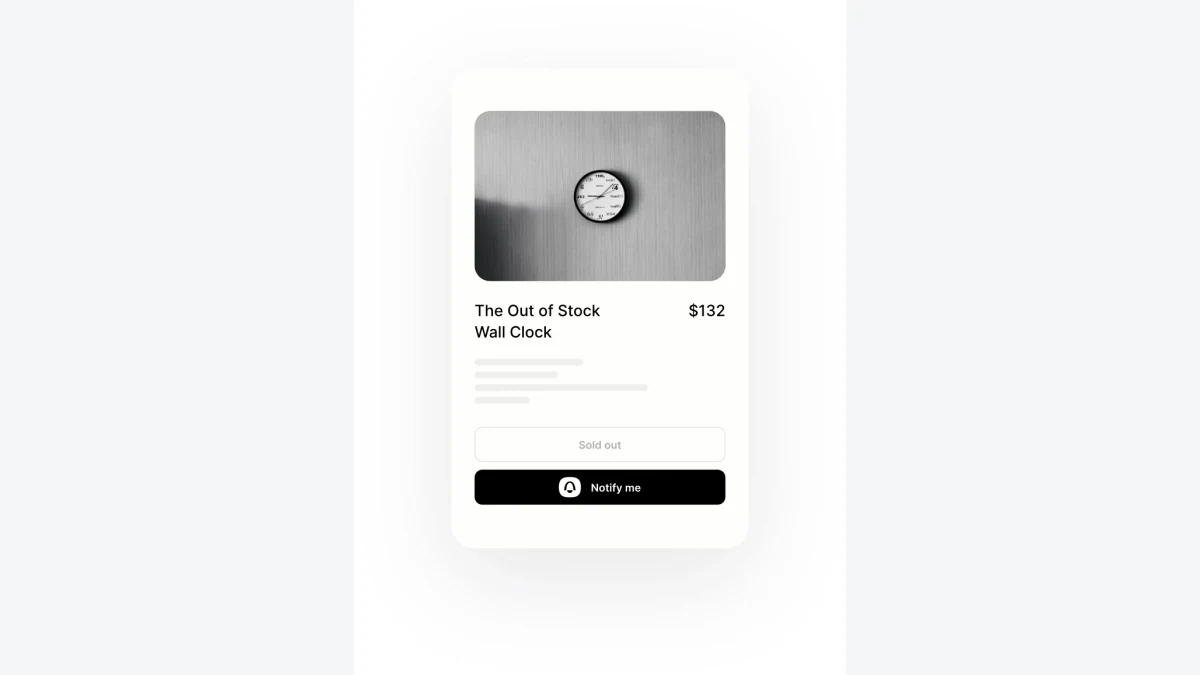
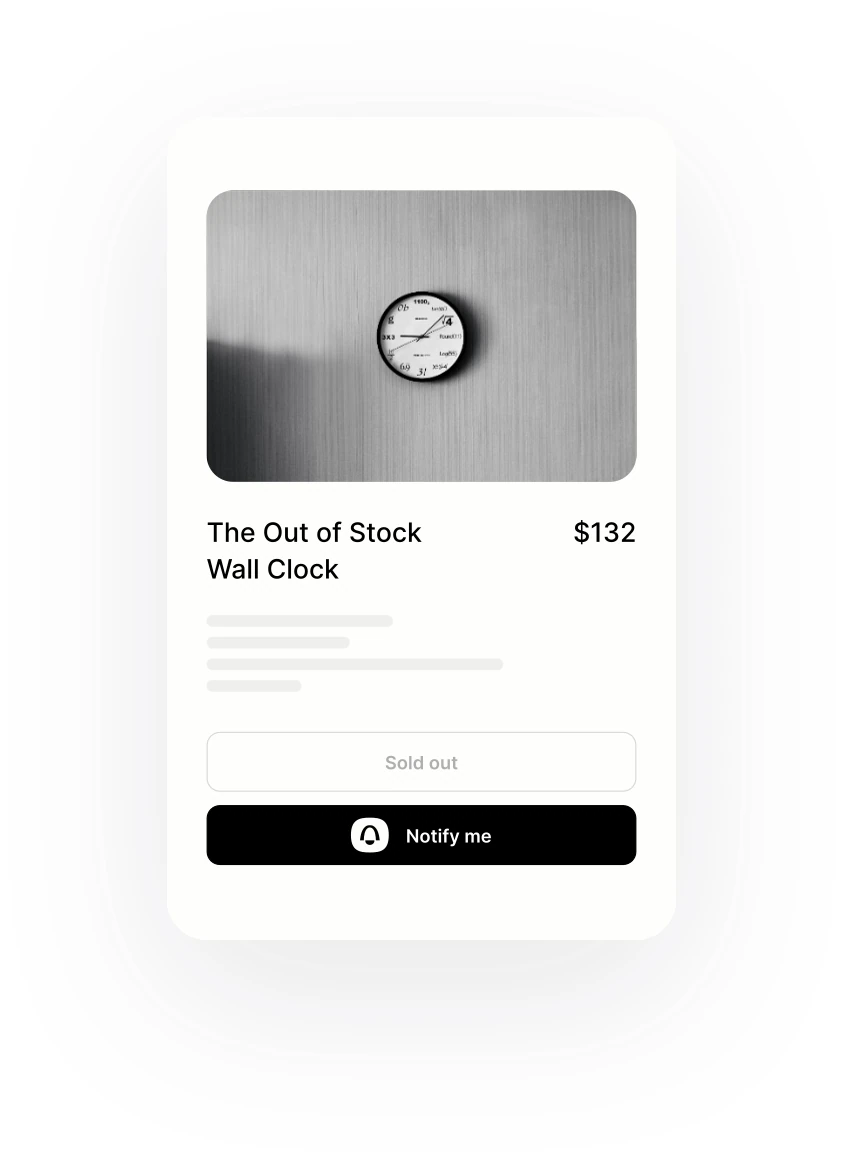
A restock request is specific to what the shopper wanted. A customer asking for a blue jacket in one size should not receive a message that merely indicates another variant of the product is available. The store needs a reliable relationship between the request, variant identity and sellable stock.
Best fit: A Shopify apparel store collecting requests for sold-out size and color variants.
Poor fit: An unverified configuration or an undefined completion event for this specific task.
Table of Contents
A restock request is specific to what the shopper wanted. A customer asking for a blue jacket in one size should not receive a message that merely indicates another variant of the product is available. The store needs a reliable relationship between the request, variant identity and sellable stock.
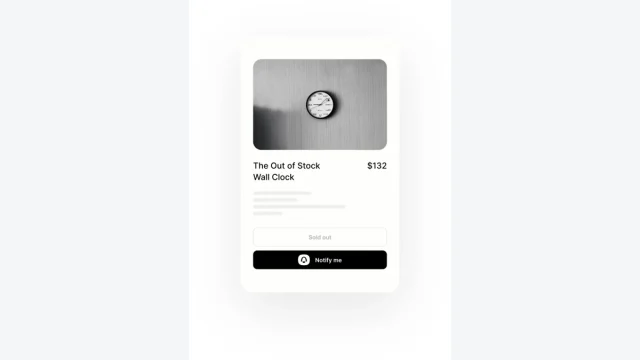
This fictional Shopify apparel store is evaluating Notify Me! for sold-out variants. It wants the request entry to appear appropriately and the eventual notification to make a promise the inventory can support. Theme behavior, inventory settings and the selected app configuration all belong in the evaluation.
The official setup guidance reviewed for the main guide describes the active app embed and relevant tracked-inventory and selling conditions for the default back-in-stock arrangement. Confirm the current method for the actual store. This workbook defines acceptance cases, not a claim that every theme or customized storefront behaves identically without checking.
Design the work around the actual completion event
1. Record the precise request identity
Preserve the product, variant and relevant shopper destination in the proposed request record. Keep a display label separate from the stable item identity.
A renamed option or similar product title can make the requested size or color ambiguous.
2. Inspect the sold-out entry conditions
Confirm the app embed and the inventory and selling settings relevant to the chosen configuration. Test the live theme behavior instead of relying only on an installation confirmation.
A widget can be installed while remaining absent or appearing on an inappropriate product state.
3. Check the shopper promise at collection
Explain what the request means and what information the store will use. Keep a restock notification request distinct from a broader publication or promotional relationship.
A shopper can believe stock is reserved when the store has only recorded a request for information.
4. Use sellable stock rather than an unexamined receipt
Define which inventory state establishes that the variant can be offered. Distinguish a warehouse receipt from an item still awaiting inspection or another operational decision.
A notification can be triggered around stock the business cannot yet sell or dispatch.
5. Inspect the return destination
Follow the eventual message to the correct product and variant through the actual customer route. Check phone behavior and the information shown if availability changes again.
A correct message can still lead to a generic product page that selects the wrong option.
6. Reconcile requests, notifications and purchases separately
Keep counts for requests, messages and confirmed later orders with their actual definitions. Preserve duplicates and timing limitations in the report.
A notification count can be mistaken for fulfilled demand or incremental sales.
A worked batch: distinguish clean work, repaired work and unresolved work
Use the following fictional batch for a Shopify apparel store collecting requests for sold-out size and color variants. Its purpose is to make the operating definitions inspectable before a live rollout. It is not a Notify Me! benchmark. The batch contains 90 candidate correctly matched restock requests; 67 satisfy the agreed criteria on the first review. The remaining 23 need clarification, correction or a decision. After controlled repair, 11 of those held cases become usable and 12 remain unresolved.
The first-pass share is 67 / 90, or 74.4%. The final usable share is 78 / 90, or 86.7%. Those figures describe different things. A report showing only the final number would conceal the intervention needed to get there. A report showing only first-pass work would overlook the value recovered through a legitimate correction. Keep both, with the reason each held case entered or left review.
| Rehearsal measure | Fictional input or calculation | Interpretation for this task |
|---|---|---|
| Candidates inspected | 90 | Every candidate remains in the starting denominator |
| Accepted without repair | 67 | The agreed conditions were met at first inspection |
| Initially held | 23 | Work needing a separate decision or correction |
| Released after repair | 11 | A subset of held work, counted once after approval |
| Still unresolved | 12 | Visible work awaiting an owner or missing evidence |
| Final usable output | 67 + 11 = 78 | Approved correctly matched restock requests, not all candidates |
For this example, one correctly matched restock request is an operating outcome, not automatically a customer, sale or financial return. Define its completion evidence from the playbook above. If a later commercial result matters, track it in a separate column and follow the same reference into the next system. Changing the unit halfway through the report can make a larger count look like an improvement when it merely answers a different question.
Put review and repair into the operating cost
Assume 4 minutes to inspect each candidate, 9 additional minutes for each successfully repaired case, and an internal labor rate of $45 per hour. These are invented workload assumptions. Initial inspection takes 90 × 4 / 60 = 6.00 hours. Successful repair adds 11 × 9 / 60 = 1.65 hours. Keep any investigation of the 12 unresolved cases as a separate estimate; the present calculation has not priced that unknown work.
With a hypothetical $75 allocation for supporting tools, the scoped batch cost is $75 + (6.00 + 1.65) × $45 = $419.25. Dividing by 78 approved outcomes gives $5.38 per correctly matched restock request. The $75 allocation is not a quoted Notify Me! subscription. Replace it with the actual incremental charges appropriate to your configuration, and avoid allocating the full same shared subscription to several batches without a consistent rule.
For a Shopify apparel store collecting requests for sold-out size and color variants, the $419.25 estimate answers a bounded process question. It excludes unspecified recovery work, broader project setup and a downstream commercial result. The 78 approved correctly matched restock requests need their own completion evidence; they should not be relabelled as customers or profit. Decide whether that defined output and the remaining 12 unresolved cases justify the next controlled stage with the available staffing.
Test sensitivity before deciding that volume is the answer
Hold the scoped cost constant and suppose ten fewer candidates meet the final acceptance criteria. Approved output would fall to 68, and the cost per usable outcome would rise to $6.17. This is a sensitivity exercise, not a prediction about Notify Me!. It shows why the acceptance definition and the treatment of exceptions matter when comparing a clean-looking dashboard with the work performed outside it.
Alternatively, examine the incremental repair work. At the assumed labor rate, one 9-minute repair costs $6.75 before any extra charge. That is a useful boundary for deciding which corrections deserve attention. A correction that preserves an important relationship or prevents an incorrect release may be worthwhile even when it is slower. A low-value case that repeatedly consumes review time may belong in a held or excluded category instead.
Capacity also has a denominator. The scoped 7.65 hours must fit into the actual coverage available for a Shopify apparel store collecting requests for sold-out size and color variants. If the team has eight hours allocated to this task, it cannot promise unlimited same-period processing merely because the software accepts more inputs. Schedule the remaining review visibly, reduce the batch or assign additional qualified coverage. A queue hidden in a spreadsheet is still part of the operation.
Run the six acceptance exercises with a second operator
For a Shopify apparel store collecting requests for sold-out size and color variants, run the exercises against the exact selected Notify Me! configuration. The accepted unit is a correctly matched restock request, so a successful screen or integration connection alone does not settle the result. Keep safe source records and separate demonstrated behavior from a requested capability. Retain the unexpected case because it may reveal why one of the 12 unresolved outcomes cannot yet be approved.
Exercise 1: Record the precise request identity
Request two different sizes of the same controlled product.
The store can identify which exact variant each request concerns. Record the input reference, the observed result and the responsible next operator. If the result depends on a manual convention, retain that convention with this exercise so the next person can repeat it.
Exercise 2: Inspect the sold-out entry conditions
Inspect a controlled sold-out variant, an available variant and a variant with a different selling setting.
The entry appears according to the documented intended conditions. Record the input reference, the observed result and the responsible next operator. If the result depends on a manual convention, retain that convention with this exercise so the next person can repeat it.
Exercise 3: Check the shopper promise at collection
Ask an unfamiliar reviewer what they expect after submitting the controlled request.
The expectation matches the service the store is actually prepared to provide. Record the input reference, the observed result and the responsible next operator. If the result depends on a manual convention, retain that convention with this exercise so the next person can repeat it.
Exercise 4: Use sellable stock rather than an unexamined receipt
Rehearse a controlled receipt that is partly unavailable for normal sale.
The resulting notification decision reflects the intended sellable-state rule. Record the input reference, the observed result and the responsible next operator. If the result depends on a manual convention, retain that convention with this exercise so the next person can repeat it.
Exercise 5: Inspect the return destination
Open the controlled notification after another variant becomes available and after the requested variant sells out again.
The destination and current state remain understandable without implying a reservation. Record the input reference, the observed result and the responsible next operator. If the result depends on a manual convention, retain that convention with this exercise so the next person can repeat it.
Exercise 6: Reconcile requests, notifications and purchases separately
Trace a controlled repeated requester and a later order through the intended report.
The store can explain what was requested, communicated and purchased without merging those outcomes. Record the input reference, the observed result and the responsible next operator. If the result depends on a manual convention, retain that convention with this exercise so the next person can repeat it.
Keep an operating record someone else can continue
For a Shopify apparel store collecting requests for sold-out size and color variants, keep one reference for each correctly matched restock request. Use that reference across the input, the accepted result and any exception record. It allows a reviewer to follow the work without relying on a customer’s name, a screenshot title or the memory of the person who first handled it. Where the destination system assigns its own identifier, retain both references and explain the relationship.
| Record field | What to put in it | Why it belongs in this workflow |
|---|---|---|
| Input reference | The original request, item or approved brief | Connects the result to the actual starting point |
| Configuration version | The relevant rule, template or account arrangement | Makes an observed result reproducible |
| Completion evidence | What establishes an accepted correctly matched restock request | Keeps the outcome definition stable |
| Exception reason | The missing fact, conflict or failed requirement | Directs repair toward the cause |
| Current owner | The person or queue that accepted the next action | Makes continuation visible |
| Review point | When the case or configuration needs another decision | Prevents unfinished work from disappearing |
For one correctly matched restock request, write what the evidence establishes before proposing an explanation. In a Shopify apparel store collecting requests for sold-out size and color variants, the note needs the starting reference and the accepted next responsibility as well as a visible result. Keep the supporting source small enough to inspect. A large screenshot collection should not replace an explicit decision about this particular outcome.
Before increasing the workload for a Shopify apparel store collecting requests for sold-out size and color variants, review the held correctly matched restock requests by their actual cause. Use the six exercises to locate an input, configuration or responsibility gap, then repeat the affected route after its repair. The first ordinary correctly matched restock request does not establish that a different unresolved case has become acceptable.
Make the next decision from the evidence
Release the arrangement when the variant and inventory conditions reconcile through the actual theme and notification route. Keep the setup record with the person responsible for theme and inventory changes, because either can alter the shopper experience.
Notify Me! is valuable when the store can preserve an accurate request and communicate a useful current opportunity to buy. Judge that outcome at variant level. A large request list is only useful if the later promise is specific, understandable and supported by the stock position.
Keep a short decision note for this specific Notify Me! use case: the work approved, the conditions still outstanding, the owner of each outstanding decision and the next review date. A conditional approval is useful when its boundaries are visible. It becomes misleading when an unresolved requirement is presented as an observed capability.
More Notify Me! guides
- Notify Me!: turn stockout interest into a clear customer promise
- Notify Me! preorders and restocks: budget demand without double-promising stock
Keep exploring
Sources and editorial notes
Official product sources checked November 4, 2026. This is research-based editorial analysis with a proposed operating workbook. The scenarios, workload numbers and hypothetical financial arrangements are invented planning inputs, not observed product performance or vendor quotations. Confirm the current plan, account and regional requirements before purchasing. We have not performed a hands-on product test.
Product buttons lead directly to the official provider. Affiliate disclosure · Editorial methodology.